
For staff and managers
A live request queue on every team member's phone.
The GuestPoint staff app runs on phones, tablets and front-desk computers, and installs to the home screen with your hotel's logo. Each person sees the work for their own department — and managers see how the whole hotel is doing.
- Phone, tablet, PC & Windows app
- Personal logins by role
- Edit your own content
Requests
The right request, to the right person, right away.
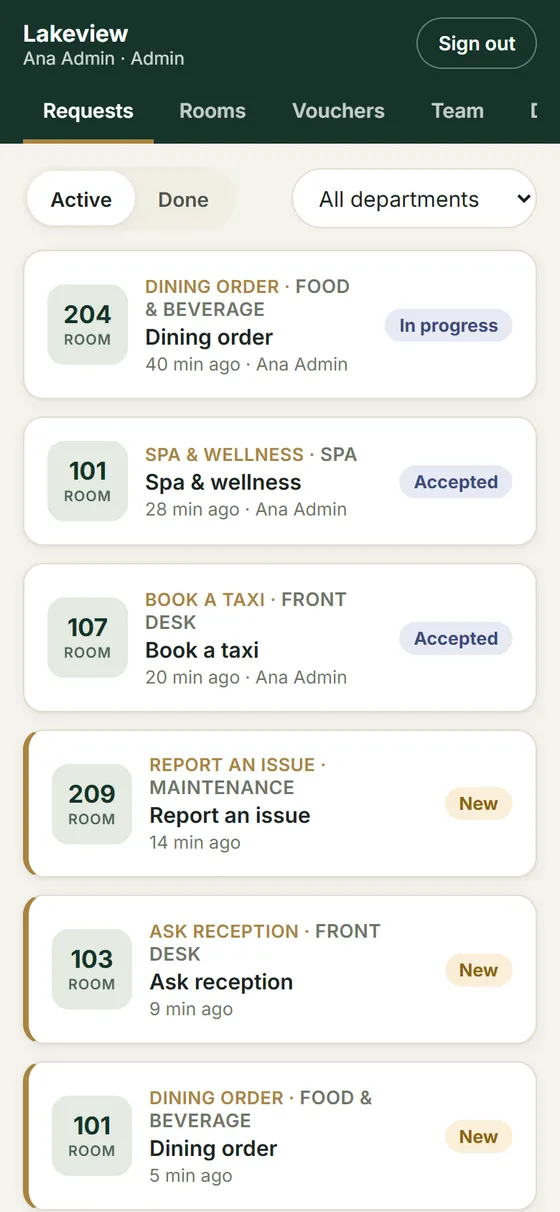
Every order and request — from the phone or the room TV — lands in the queue of the department responsible, with a notification on the phones of the people on that team.
- Routed by department — kitchen, housekeeping, spa, maintenance, front desk
- Phone notification the moment a new request arrives
- One tap to accept, start, complete or cancel — with a full history of who did what
- Requests waiting more than 15 minutes are flagged so nothing is forgotten
- Orders show items, quantities and the total from your own menu prices
Everything the front desk needs
One app for the whole shift.
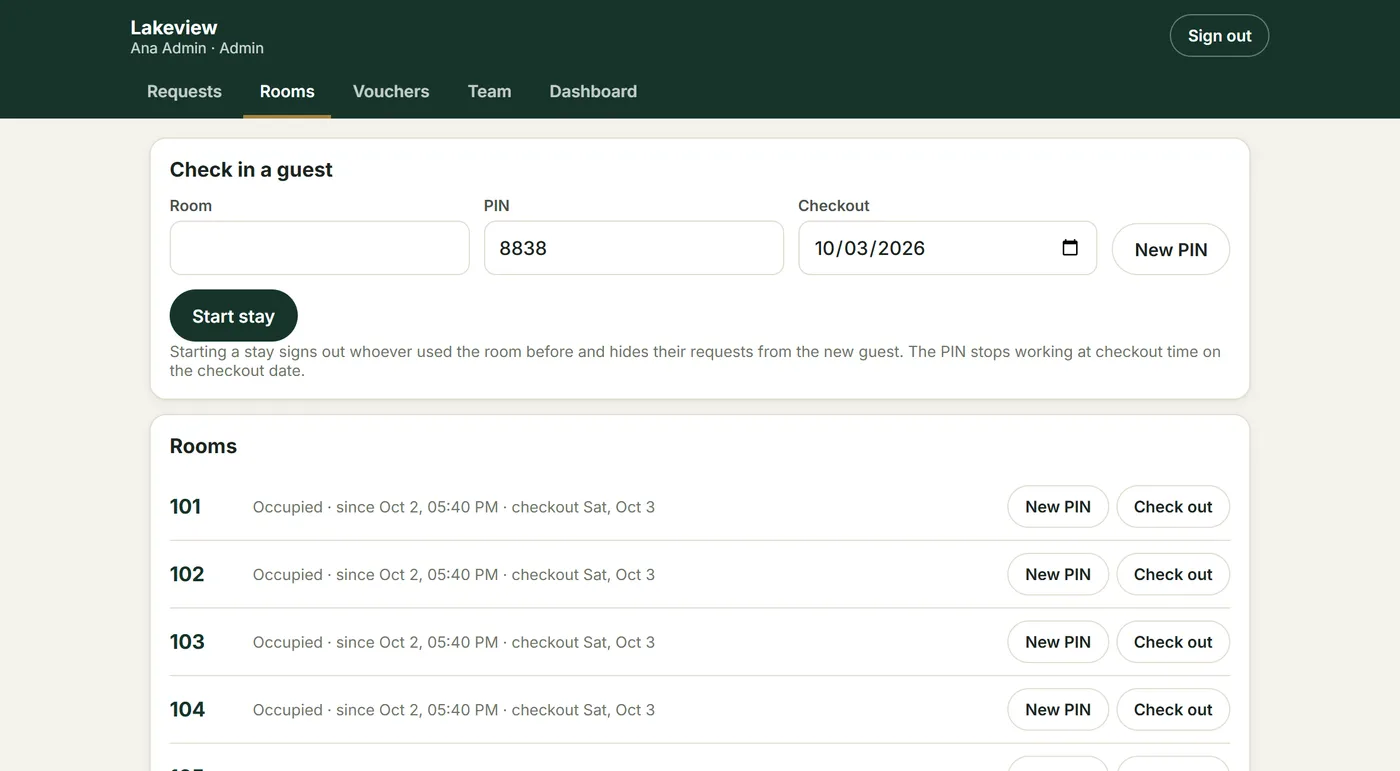
Tabs appear by role: housekeeping sees its queue, reception sees rooms, chat and TVs, managers and admins see everything.
Rooms & check-in
Start a stay with the room, a PIN, the checkout date and, optionally, the guest's name for the TV welcome. The PIN expires by itself at checkout; a new PIN signs out the previous guest.
Chat inbox
Every current stay's conversation in one list with unread counts, and a notification for each new guest message. About chat
Room TVs
Pair TVs, send now-or-scheduled messages to TVs and phones, set welcomes for chosen rooms and manage the TV Home screen. About the TV app
Vouchers
Check and redeem guest vouchers by code at the bar, restaurant or spa — each works once. Managers choose who may redeem.
Team & roles
Personal logins with admin, manager and staff roles and their departments. Invite people by email; disabling a login takes effect immediately.
Windows desktop app
For the front-desk PC: Windows notifications for new requests and chat messages, and a tray count of what's waiting.
For managers
See how fast your team responds — and how guests feel, while they're still in house.
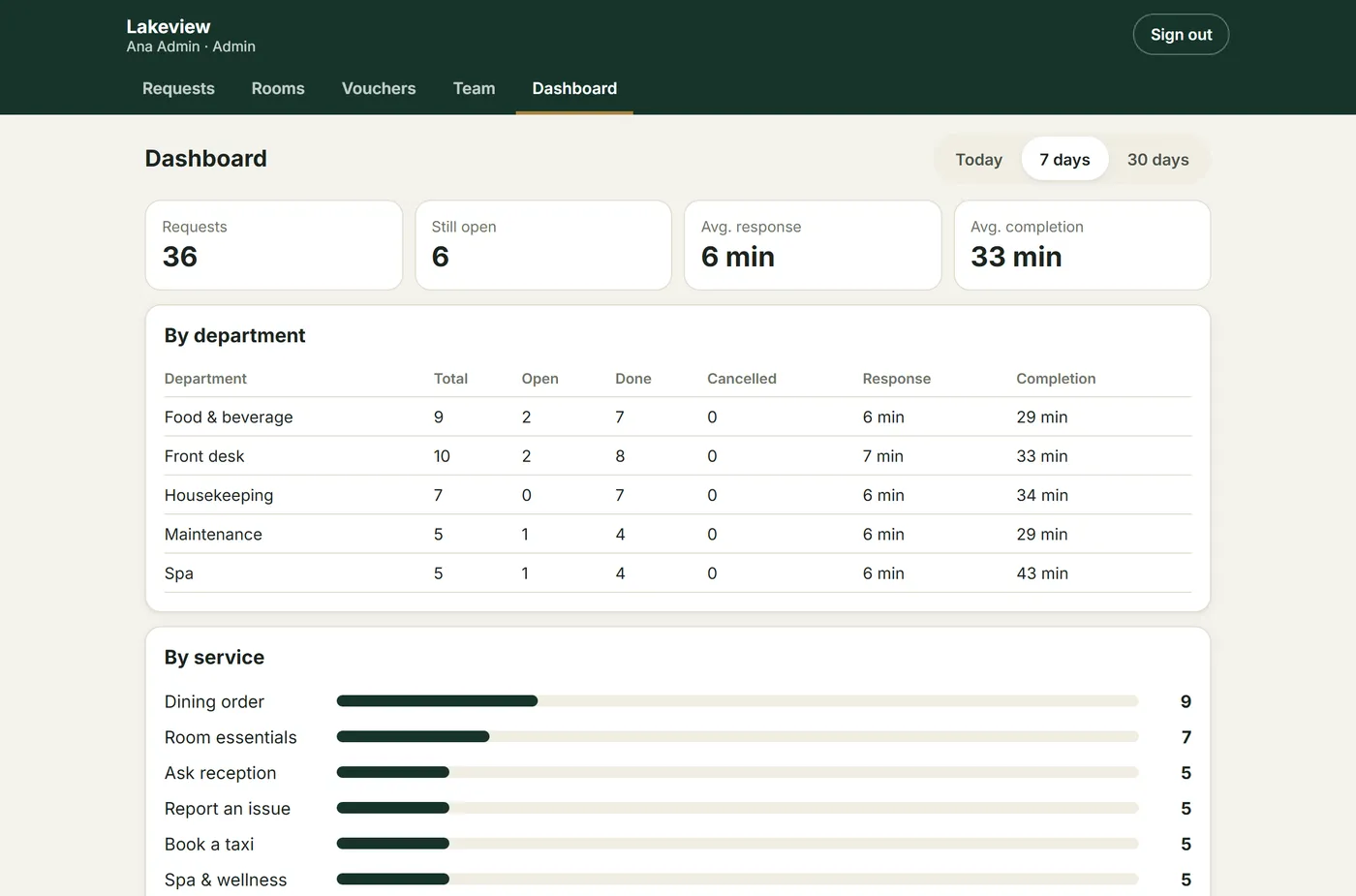
The dashboard turns every request, survey and screen view into numbers you can act on, for today, the last 7 days or the last 30.
Service performance
Requests, open items, average response and completion time — by department and by service. Spot the bottleneck, staff the busy hours.
In-stay guest feedback
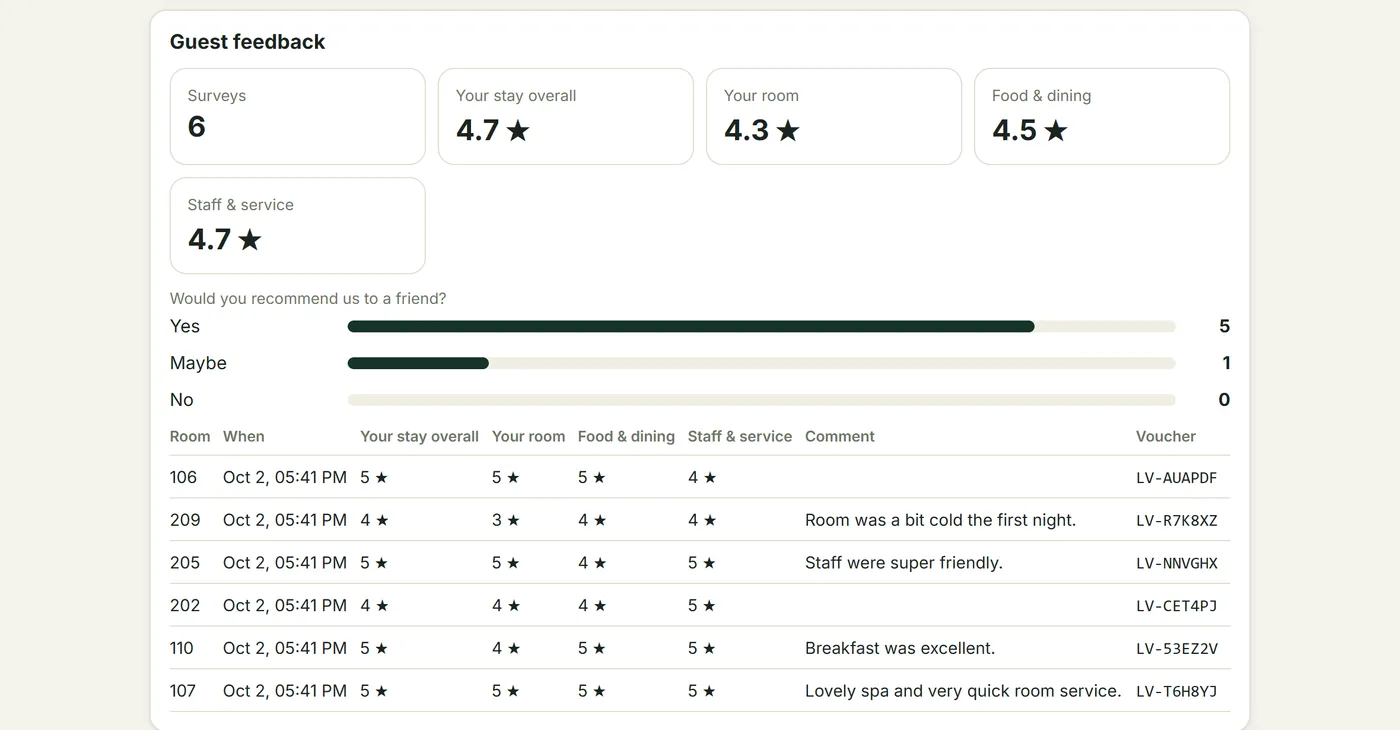
Star ratings, "would you recommend us" and comments per room. A low score alerts managers immediately, so you can fix it before checkout — not read it online afterwards.
Your content, your hands
Change a price, a photo or tonight's event yourself.
Your hotel's admin edits everything guests see in Setup — with forms, not code — and it goes live on phones and TVs in about a minute. Or send it to us and we'll do it.
- Basics & Home, menu, services, hotel information, events & offers, survey and prize wheel
- Photo uploads, colour and date pickers, ready-made choices
- Checked before publishing, so a typo can't break the app
- Every version kept for 90 days — undo in seconds
- Translations for each language your hotel offers
Edit
Change texts, prices, hours and photos in a form.
Check
Missing prices, broken links and unsafe fields are caught first.
Publish
Live on every phone and TV in about a minute.
Undo
Bring back any version from the last 90 days.