Order and ask without calling
Room service, towels, a spa slot, a taxi or a broken tap — guests send it in a few taps and see every status change.
Guest app + staff request platform for hotels
Guests scan a QR code in their room and get your hotel's own app — menus, room service, spa, housekeeping, taxis and more. Each request lands instantly in the right department's queue, staff get a phone alert, and the guest watches it move from Sent to Done.
No app download for guests. No PMS integration. No in-room hardware. Every screenshot on this page is the working product.
Why hotels use GuestPoint
Printed directories, phone calls to reception and handwritten notes don't tell you who is waiting, for how long, or whether the guest was happy. GuestPoint closes that loop.
Room service, towels, a spa slot, a taxi or a broken tap — guests send it in a few taps and see every status change.
Kitchen sees food orders, housekeeping sees towels, maintenance sees repairs. Phone alerts, one-tap status updates.
Menus with photos and prices, spa treatments, events and offers sit in every guest's pocket for the whole stay.
Response and completion times by department, in-stay guest ratings and comments, and alerts for low scores — before the online review.
For guests
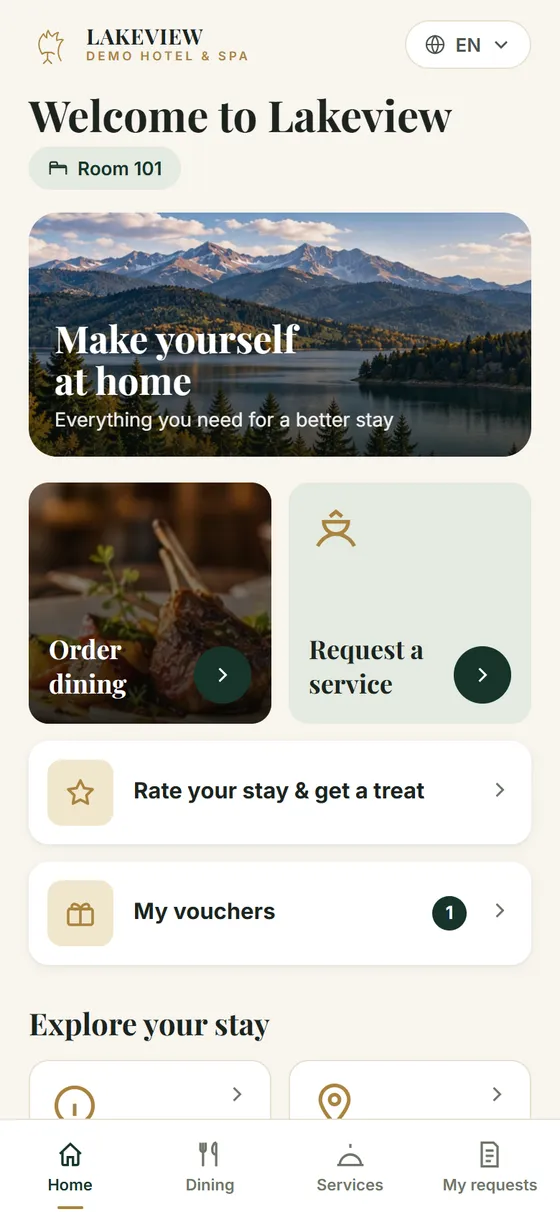
Branded with your logo, colours, photos and wording. It opens in the phone's browser and can be added to the home screen like an app.
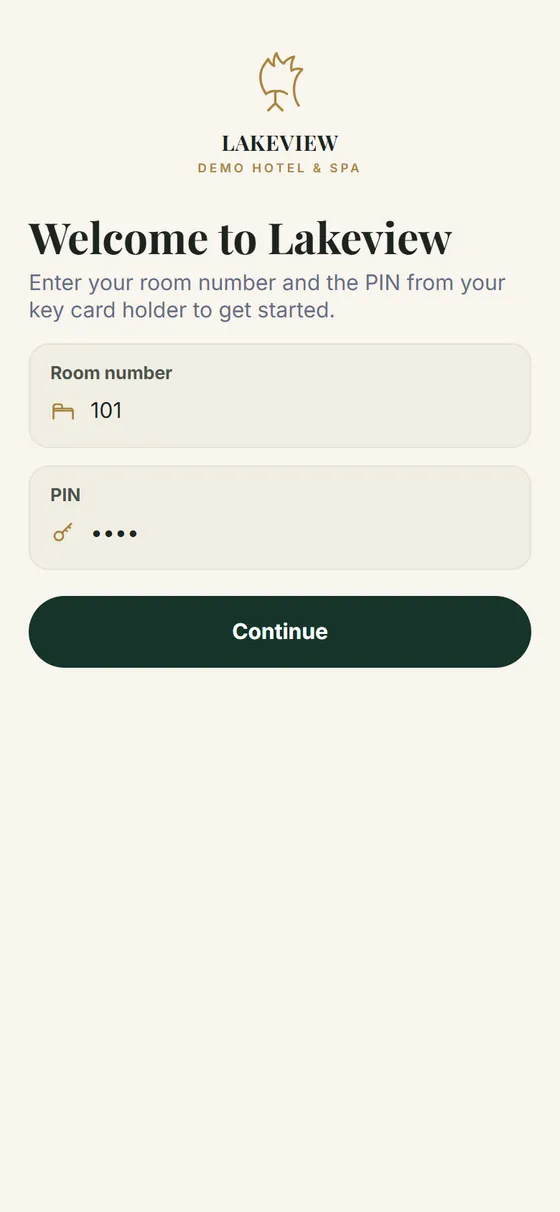
Real screens from the GuestPoint demo hotel
For staff
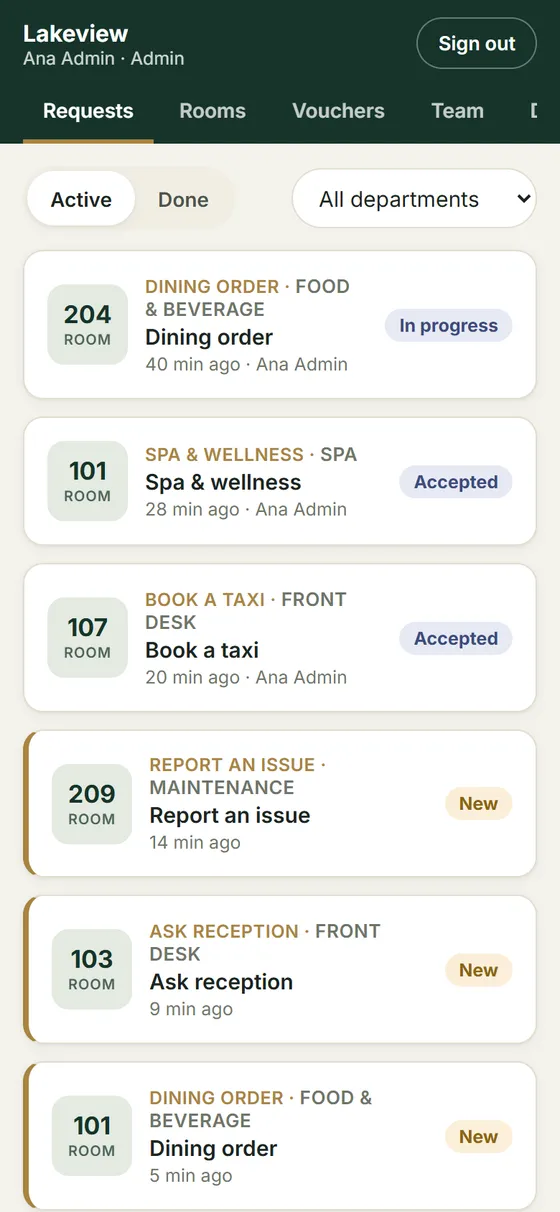
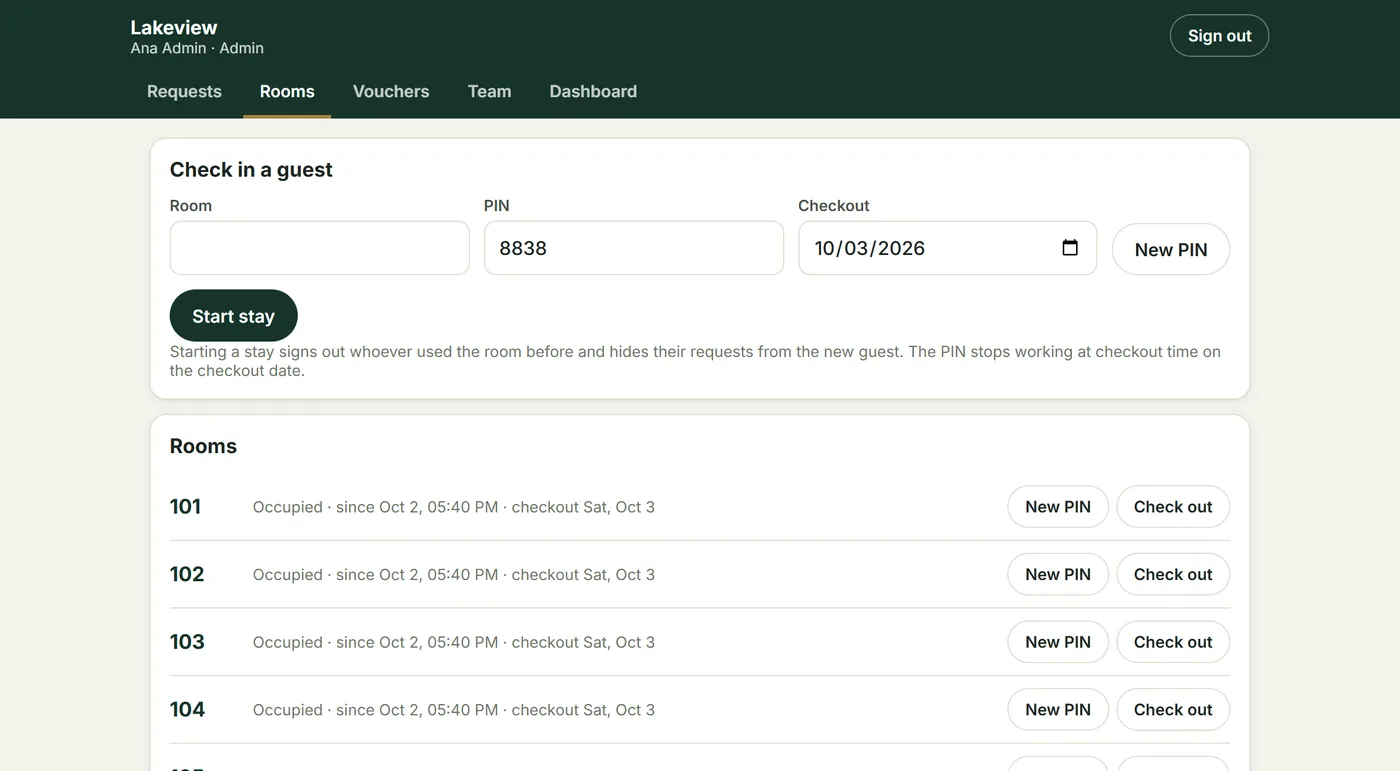
The GuestPoint staff app runs on phones, tablets and front-desk computers and can be installed to the home screen. Each person sees the requests for their own department.
For managers
The dashboard turns every request and survey into numbers you can act on, for today, the last 7 days or the last 30.
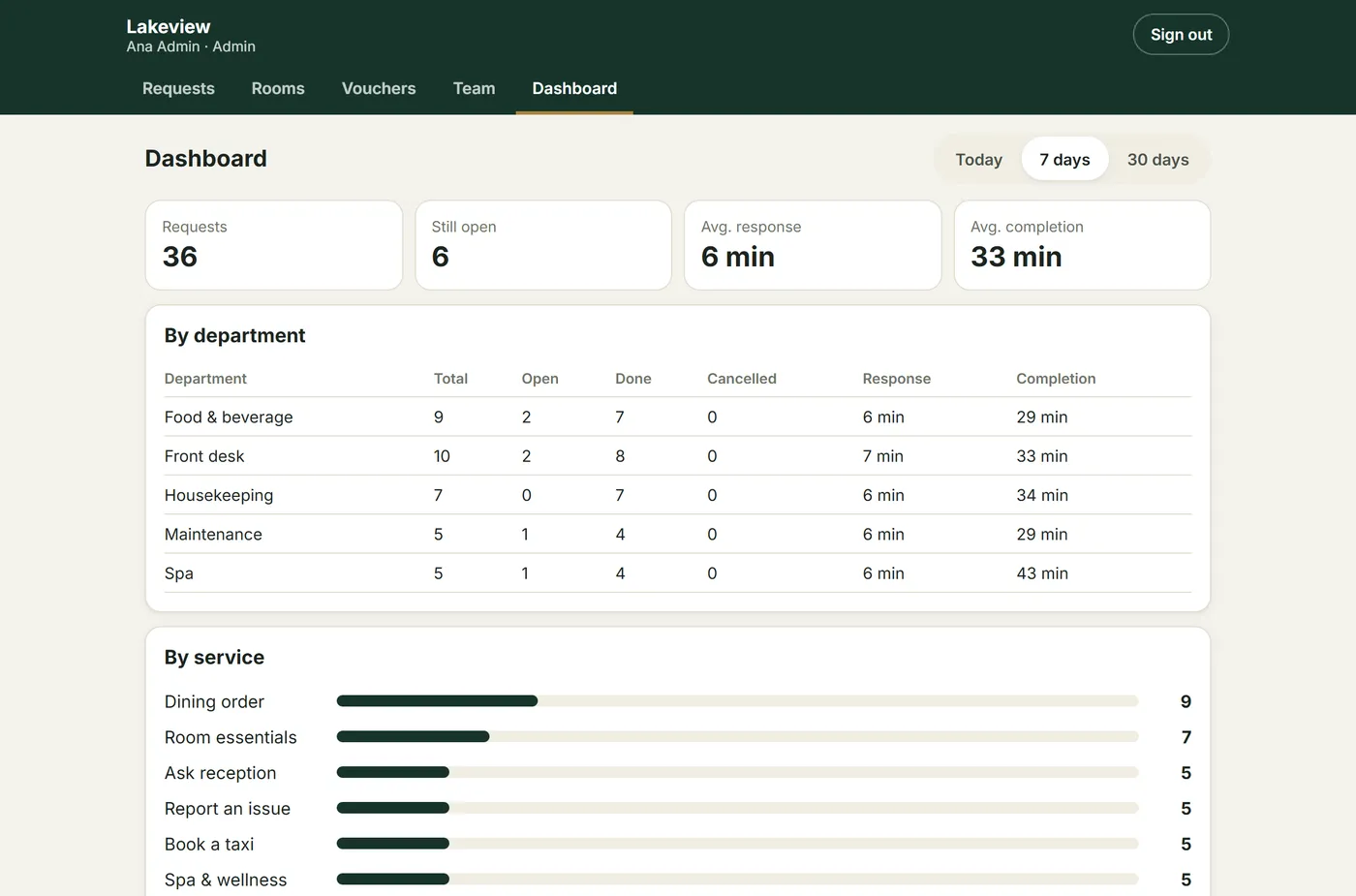
Requests, open items, average response and completion time — by department and by service. Spot the bottleneck, staff the busy hours.
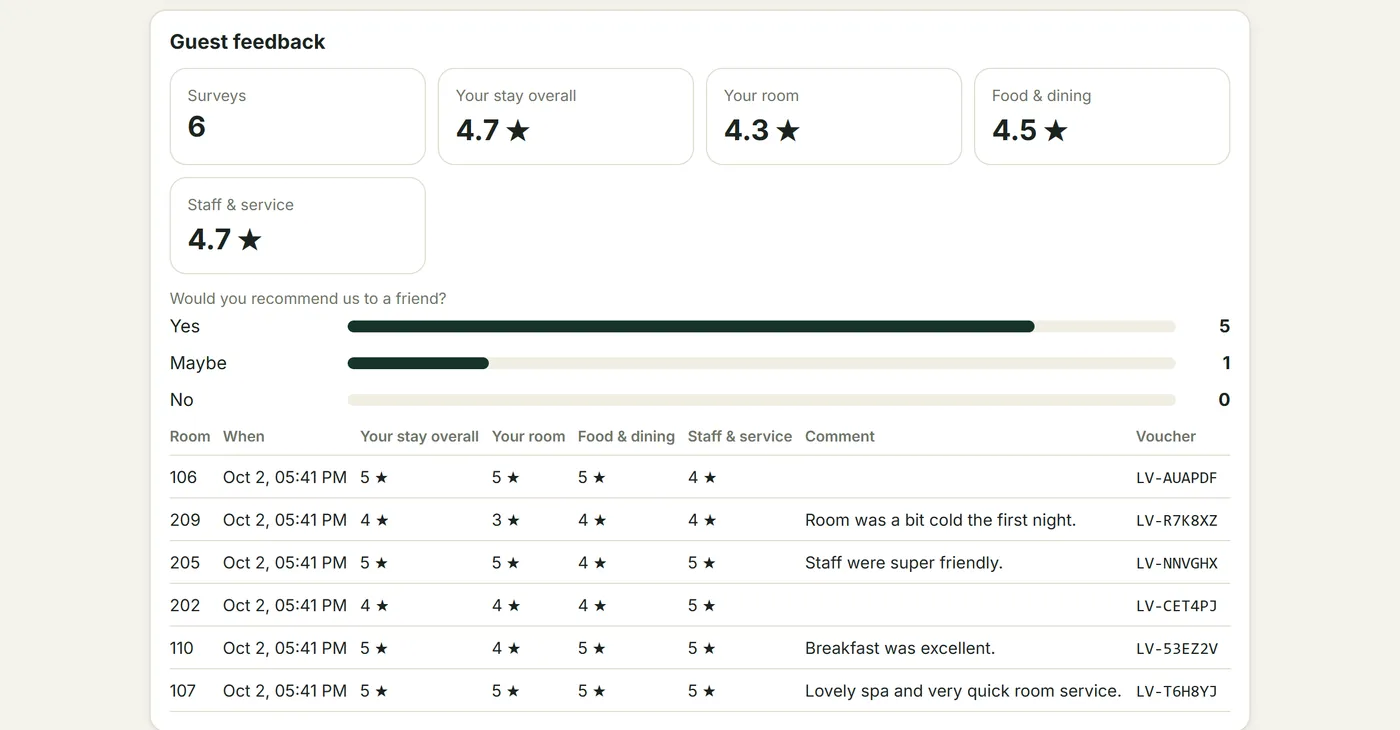
Star ratings, "would you recommend us" and comments per room. A low score alerts managers immediately, so you can fix it before checkout — not read it online afterwards.
Guest engagement
Engaged guests order more, discover more of your hotel and tell you what to improve.
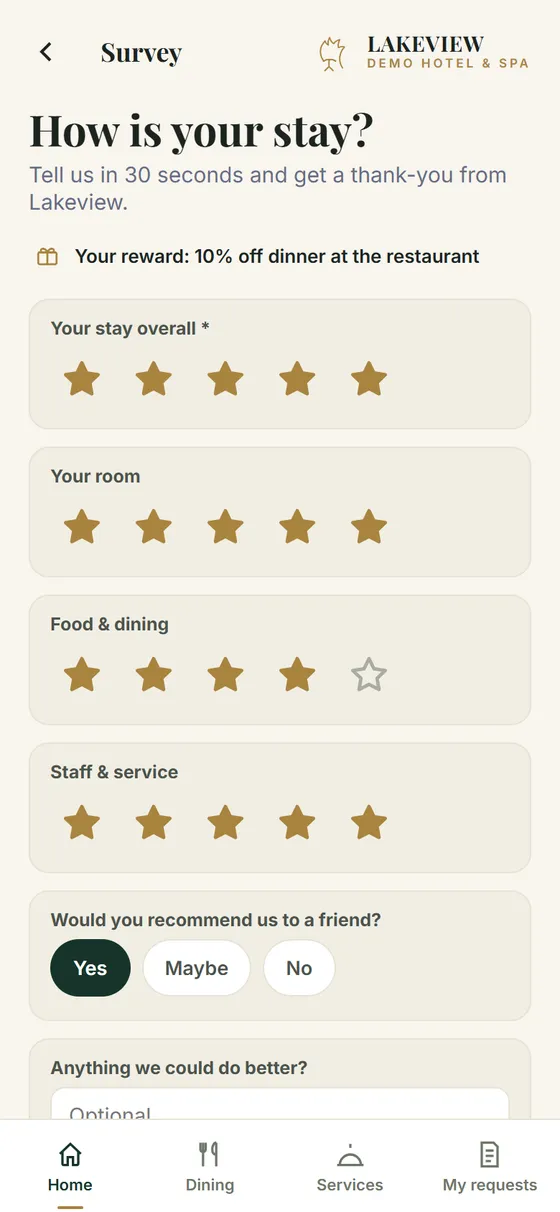
From the middle of the stay, guests get a 30-second survey and a thank-you voucher. A gentle reminder notification follows if they haven't answered.
One spin per day — every spin wins. You choose the prizes, the odds, daily limits and opening hours. Odds are shown openly to guests.
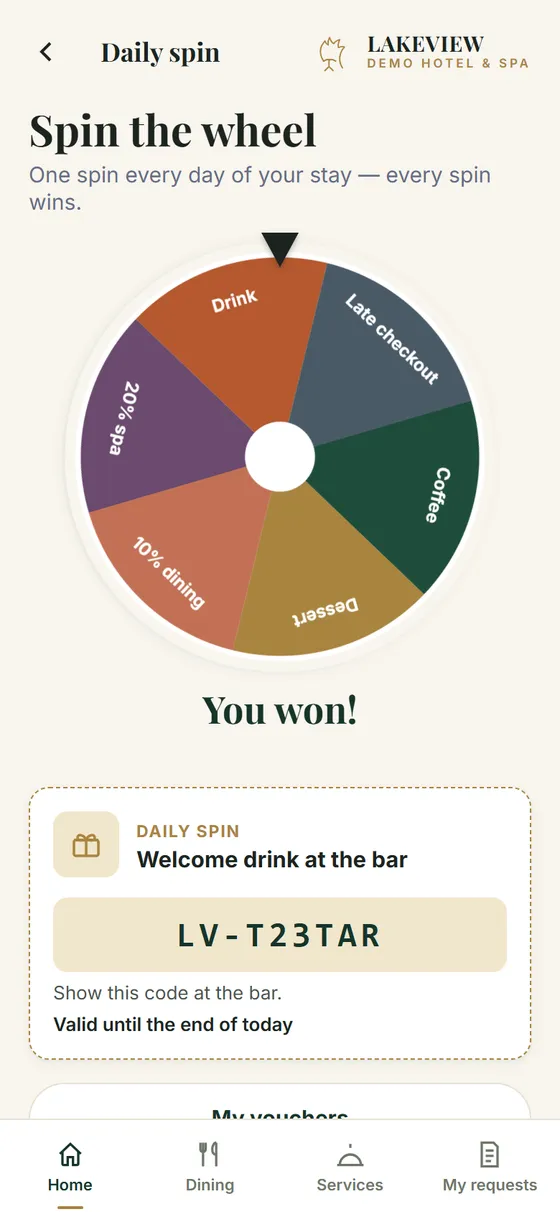
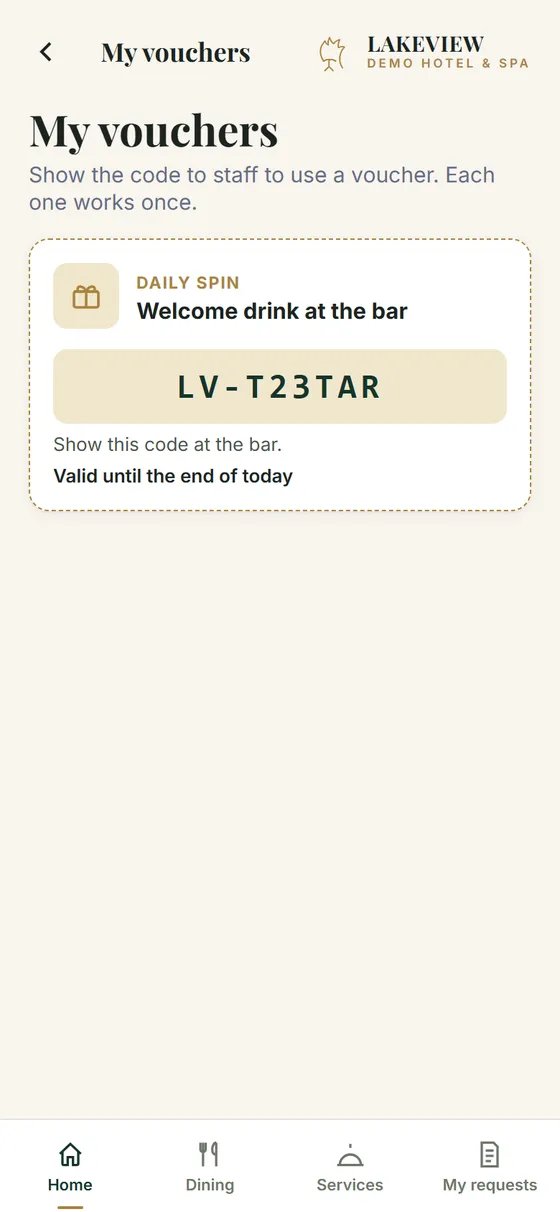
Free coffee at the bar, dessert with dinner, spa discounts. Codes are single-use, expire at the latest at checkout, and redemptions are tracked.
Everything included
Menu categories, photos, prices, availability and service hours. Orders show items and total for the kitchen.
Amenities, spa and treatment bookings, taxi and airport transfers, issue reports and messages to reception.
Guests see each request move through Sent, Accepted, In progress and Done.
Staff get new requests; guests get status updates, new events and offers. Android and iPhone (home-screen app).
Dated events with Today / Tomorrow / This week filters, offers with end dates, and a featured banner on Home.
Wi-Fi hint, reception hours, check-in/out, facilities, and curated places nearby with map links.
In-stay feedback with low-score alerts, a configurable prize wheel, and single-use vouchers redeemed by staff.
Logo, colours, photos, texts and which screens are switched on — each hotel looks like itself.
Menus, prices, hours, photos and offers are updated centrally and go live within about a minute — with full version history and undo.
Run several hotels on one platform, each with its own content, rooms, team and statistics.
Guests and staff can install the app with your hotel's icon — no app store involved.
Only checked-in guests can send requests. A new PIN signs out the previous guest of that room.
How it works
Your branding, menu, services, departments, hotel information, events, offers, survey and prizes. We create your team's logins.
Each room gets its own code. At check-in, the front desk gives the guest a PIN and enters the checkout date.
Requests land in the right queue with a phone alert. Staff update the status; the guest sees it live.
Follow response times and guest ratings on the dashboard. Ask us to change content any time — it's live in about a minute.
Privacy & reliability
Guests are identified by room, not by name. There is nothing for them to sign up for, and nothing for your IT team to install.
No names, emails or phone numbers are needed to use the guest app — just the room number and PIN.
PINs are stored only as secure hashes, stop working at checkout, and the room locks for 15 minutes after five wrong attempts.
Runs on Amazon Web Services in Stockholm (eu-north-1), served over HTTPS with automatic backups of key data.
Personal logins with admin, manager and staff roles. Disabling a login takes effect immediately.
Every content change is versioned for 90 days and can be rolled back in seconds.
Item names, prices and departments always come from your hotel's settings — never from the guest's phone.
Built for
GuestPoint pays off fastest where guests use restaurants, room service, spa and wellness, transfers or activities during their stay.
Coming next
We build in close contact with our hotels. Next up:
In a short call we'll show the guest app and staff app live, and walk you through what setup would look like for your property.
FAQ
No. Guests scan the QR code in their room and your hotel's app opens in the phone browser. They check in with their room number and a short PIN from the front desk — no download, no sign-up, no email address. They can optionally add it to their home screen.
No. The front desk starts a stay in the staff app by entering the room, a PIN and the checkout date — it takes a few seconds. The PIN stops working by itself at checkout time, and giving the room a new PIN signs out the previous guest.
Each request goes to the queue of the department responsible — kitchen, housekeeping, spa, maintenance or front desk — in the GuestPoint staff app, which works on phones, tablets and computers. Staff get a phone notification, then accept, start and complete the request with one tap. Requests waiting longer than 15 minutes are flagged.
Yes. On Android they work straight from the browser. On iPhone (iOS 16.4 or later), the app is first added to the home screen from the Share menu — a two-tap step. Notifications are always optional; the app works fully without them.
Not online. Orders and bookings are sent to your team with the prices from your menu, and are settled the way you already work — charged to the room or paid at the desk. That keeps GuestPoint free of payment-provider fees and setup.
Yes. Your logo, colours, photos, wording and home-screen icon are used throughout, and you choose which screens are switched on. Guests see your hotel, not GuestPoint.
Send us the change and our team publishes it — usually live within about a minute, checked automatically for errors, with every earlier version kept for 90 days. When you add a new event or offer, guests in house with notifications on are told about it.
Today each hotel's content is published in one language of your choice. Guest-selectable multilingual content is the next item on our roadmap.
Very little: the room number, the requests and survey answers the guest sends, voucher codes, and — only if the guest turns notifications on — a device token. No names, emails or payment details. Data is hosted in the EU. See our privacy policy for details.
Mostly as long as it takes to gather your content: menu, services, photos and hotel information. There is no hardware to install and no system integration, so once the content is ready we set up your team's logins, print the room QR codes and you're live.
Contact
Tell us a little about your property and we'll arrange a short live walkthrough of the guest app and staff app.
Prefer email? Write to support@guestpointhospitality.com